As a new blogger, you will often hear or see the term template. It is a pre-designed webpage or a set of HTML webpages or theme that anyone can use to integrate their own text content and images to create a website or blog.
It is given that Blogger or any other webhosting platform will make you either choose from their template themes at the time you are create a new blog or website or to upload your coded theme. Blog owners may not, for whatever reason, want to expend resources on building a theme or webpage from scratch, preferring to choose from the range of free templates offered by blogger or wordpress or the host of other free webhosting platforms.
While this process may save one some cost, it may affect readers’ interactions with your website or blog and, consequently, reduce your pageviews. To make a basic template theme better interactive, there are different options made available by many webhosting platforms: you have the option of adding a functionality by simply editing the layout of your theme and adding a plug-in already created by the webhosting platform or editing the HTML of your theme. Both options are available on blogger, wordpress and some other webhosting platforms. They allow users, to an extent, to edit the html of their themes to enable whatever functionality they deem fit for their blogs and websites.
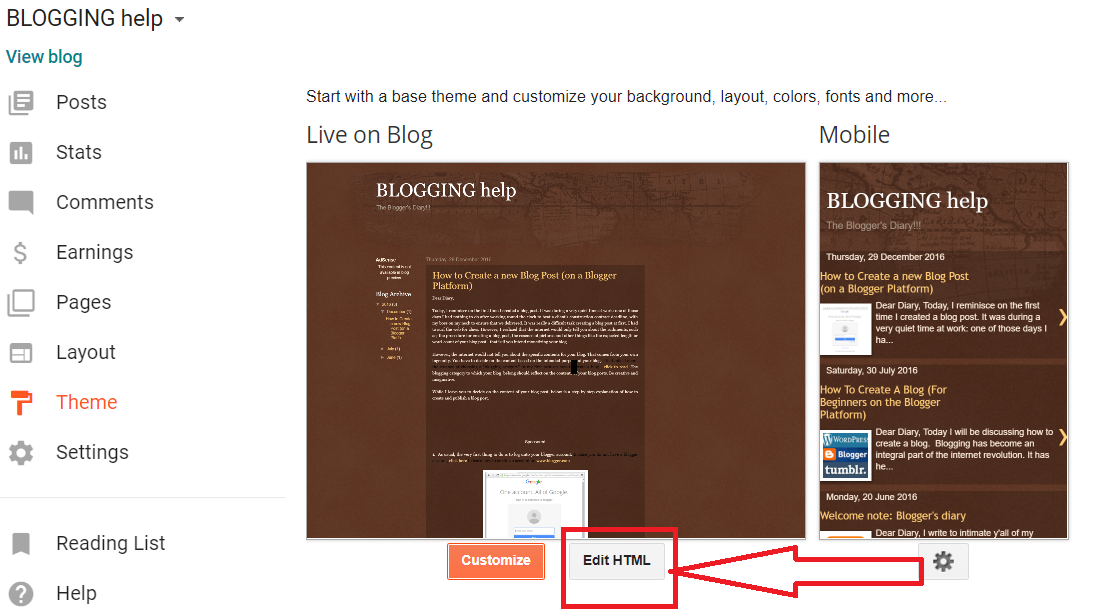
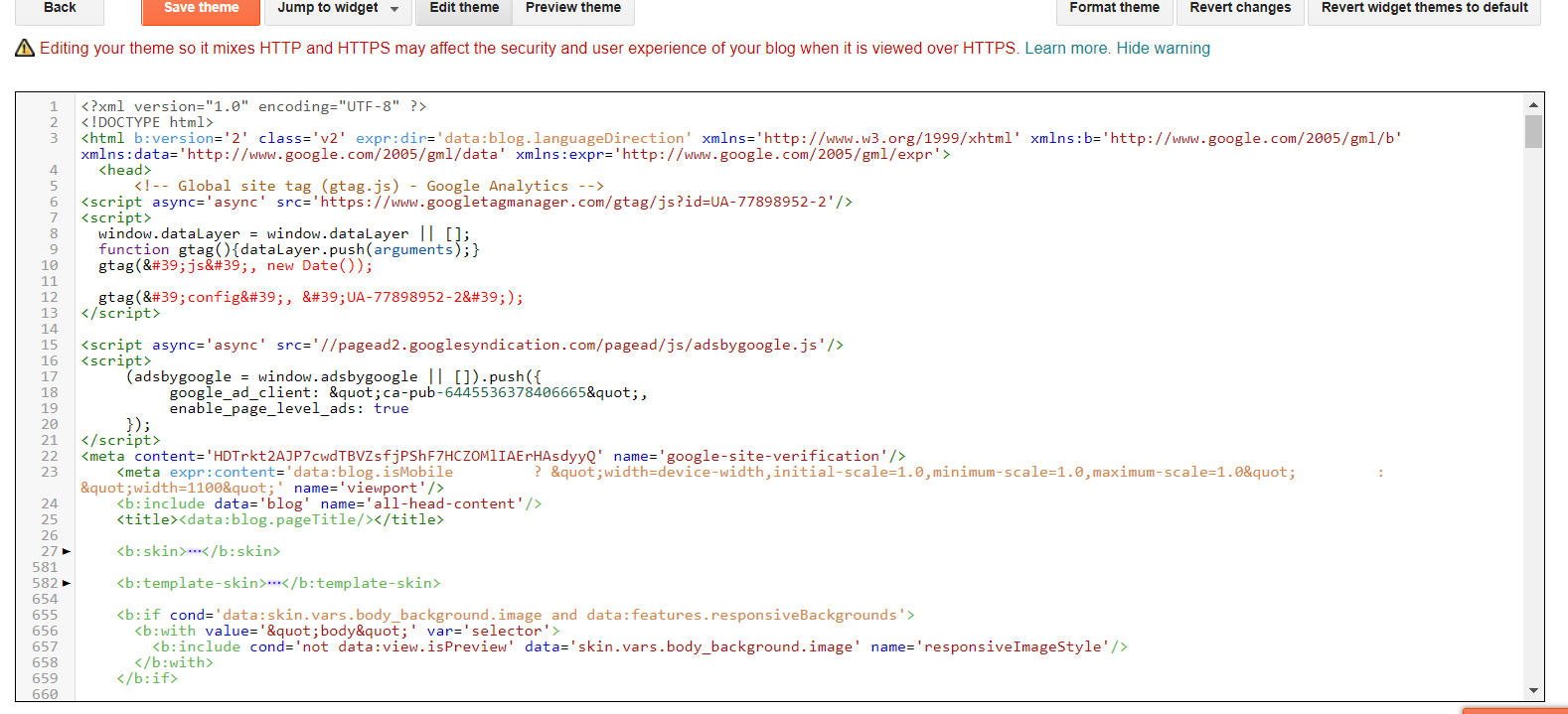
This post is a guide on how to go about with editing the html of your blog hosted on Blogger. Please not that before you proceed with this guide, you need to know some basic coding. This post is not for that purpose, it is not set out to teach you how to code a webpage or theme; it merely guides one on how you to find the HTML of your webpage or theme.
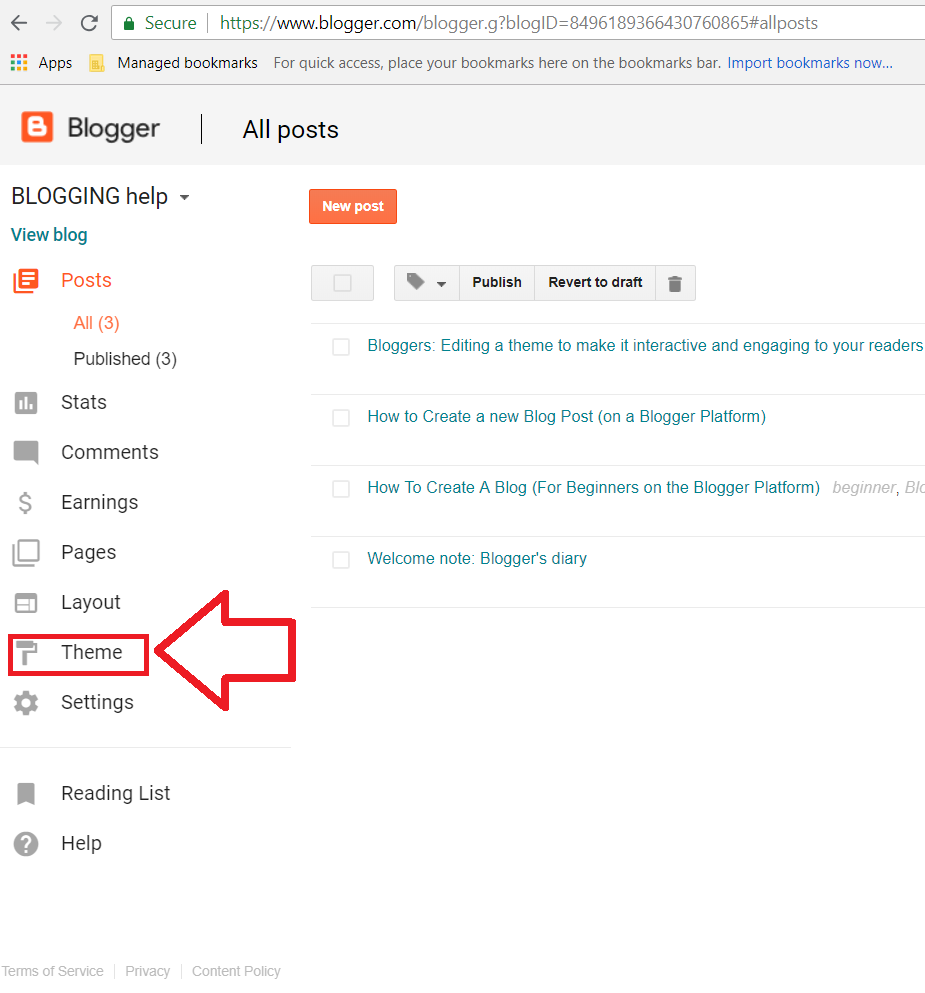
Once you log into your blog through www.blogger.com, navigate through and click on “Theme”. It is on the left side once you sign in.