Dear Diary,
It was really a difficult task creating a blog post at first. I had to surf the web for clues. However, I realized that the internet would only tell you about the rudiments, such as; the procedure for creating a blog post, the essence of pictures and other things like the expected length or word-count of your blog post – that is if you intend monetizing your blog.
I had talked about the essence of choosing a “blogging category” in my first post on how to create a blog… click to read. The blogging category to which your blog belong should reflect on the contents of your blog posts. Be creative and imaginative.
While I leave you to decide on the content of your blog post, below is a step by step explanation of how to create and publish a blog post.
Steps to creating a new blog post
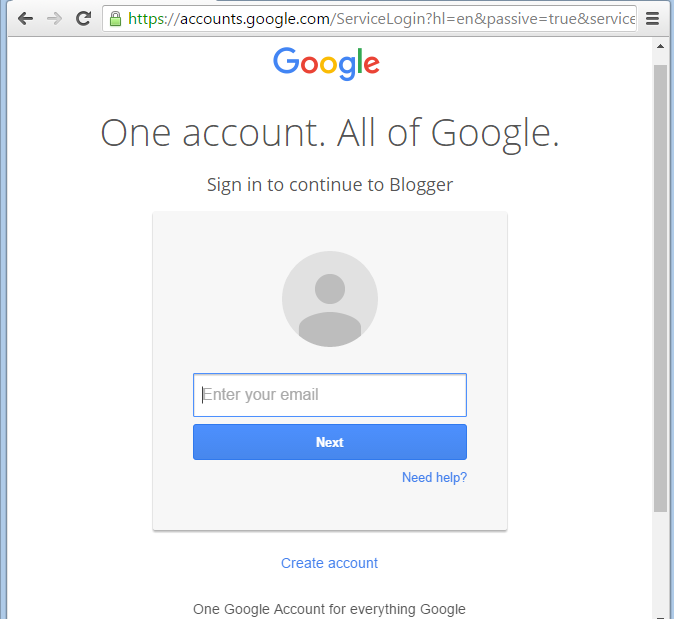
1. As usual, the very first thing to do is to log unto your blogger account. In case you do not have a blogger account, click here to learn how to create an account on www.blogger.com
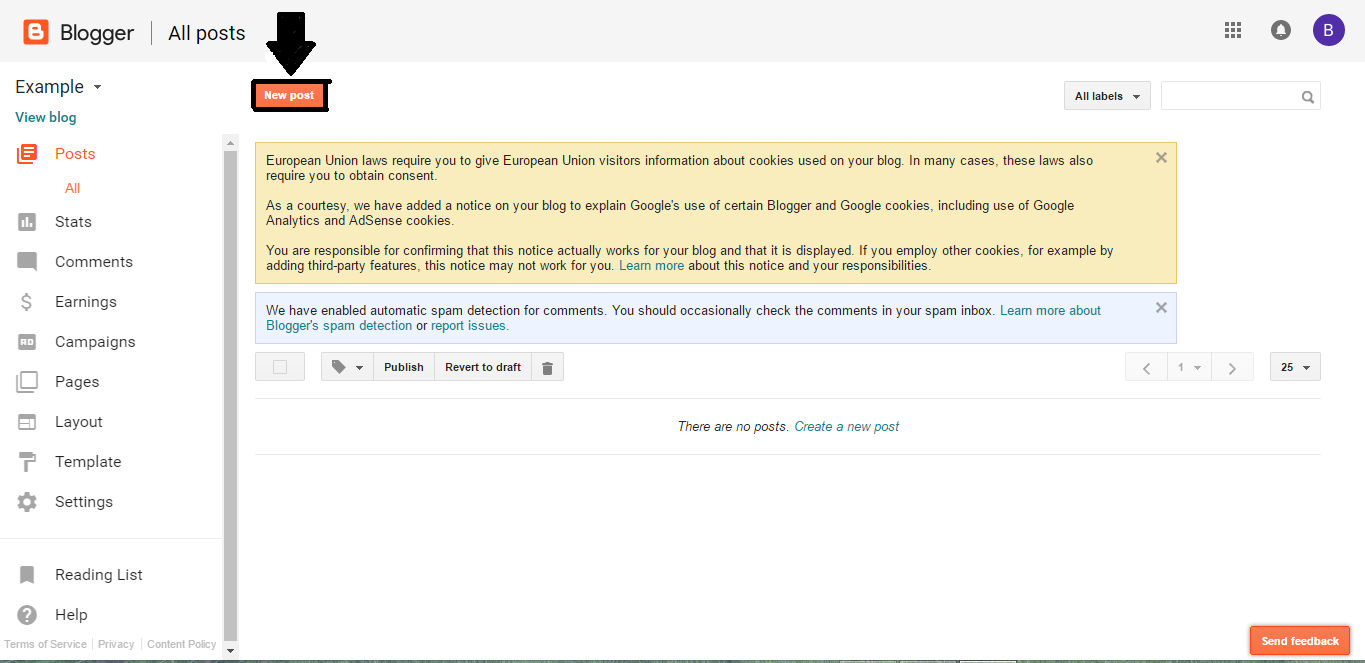
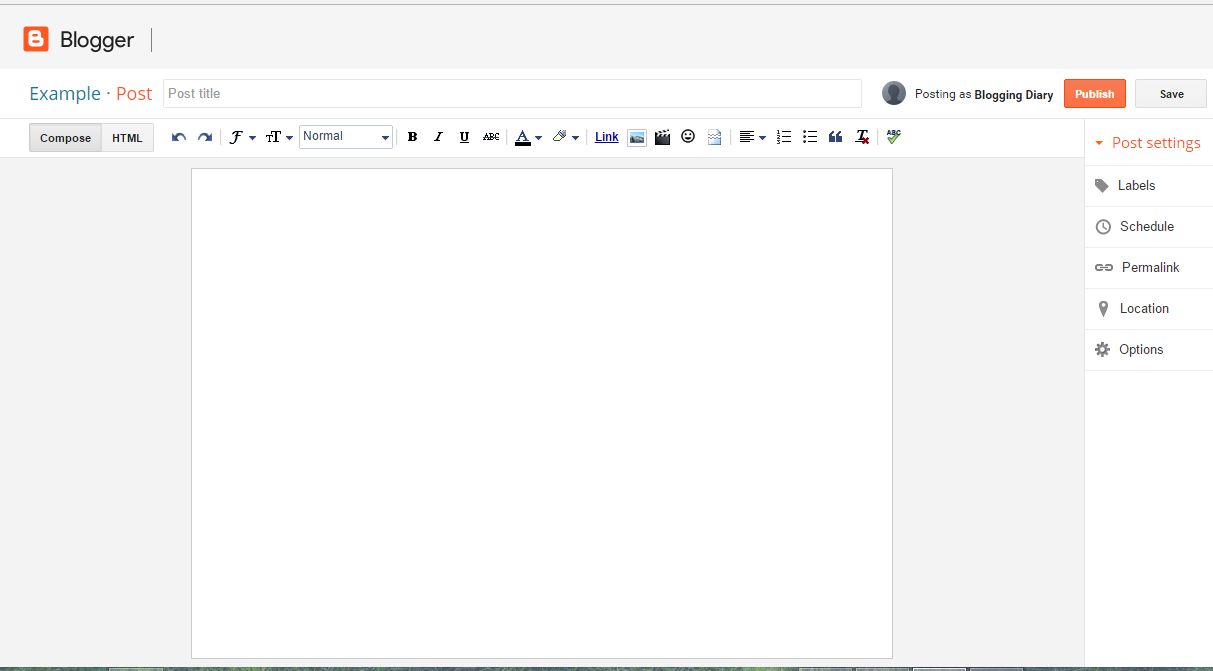

5. Please note that your choice of “post title” is not sacrosanct. You can decide to change it any time either while writing the post or even after publishing the post.
The only disadvantage is that once you have published your blog post, you cannot change the “permalink” (I will talk about this in a later post). However, this is not detrimental to the success of your blog post; you do not need to worry therefore.
Once you have chosen the title, you can then write your blog posts, with pictures.
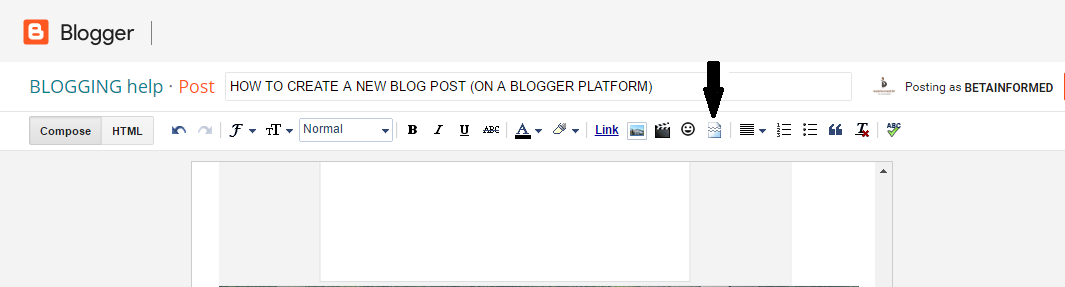
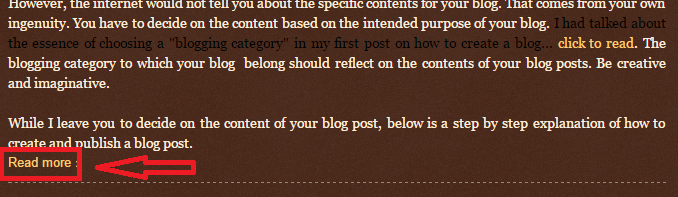
Another thing you may want to do after writing your blog post and before publishing it is to insert a “jump break”. Choose where to insert the “jump break”, then go beneath the “post title” box, you will see an icon for “insert a jump break” click on it.